





Every land team plans a site a little differently.
Some days you're screening dozens of parcels and need a first read on each one in seconds. Other days you've already walked the site. You know where the entry belongs, how the main road should run, and what product you want to build. You just need to know what your plan yields.
Until today, SiteAI® was built for the first kind of day. Now it's built for both.
Way One: Let SiteAI Plan the Site
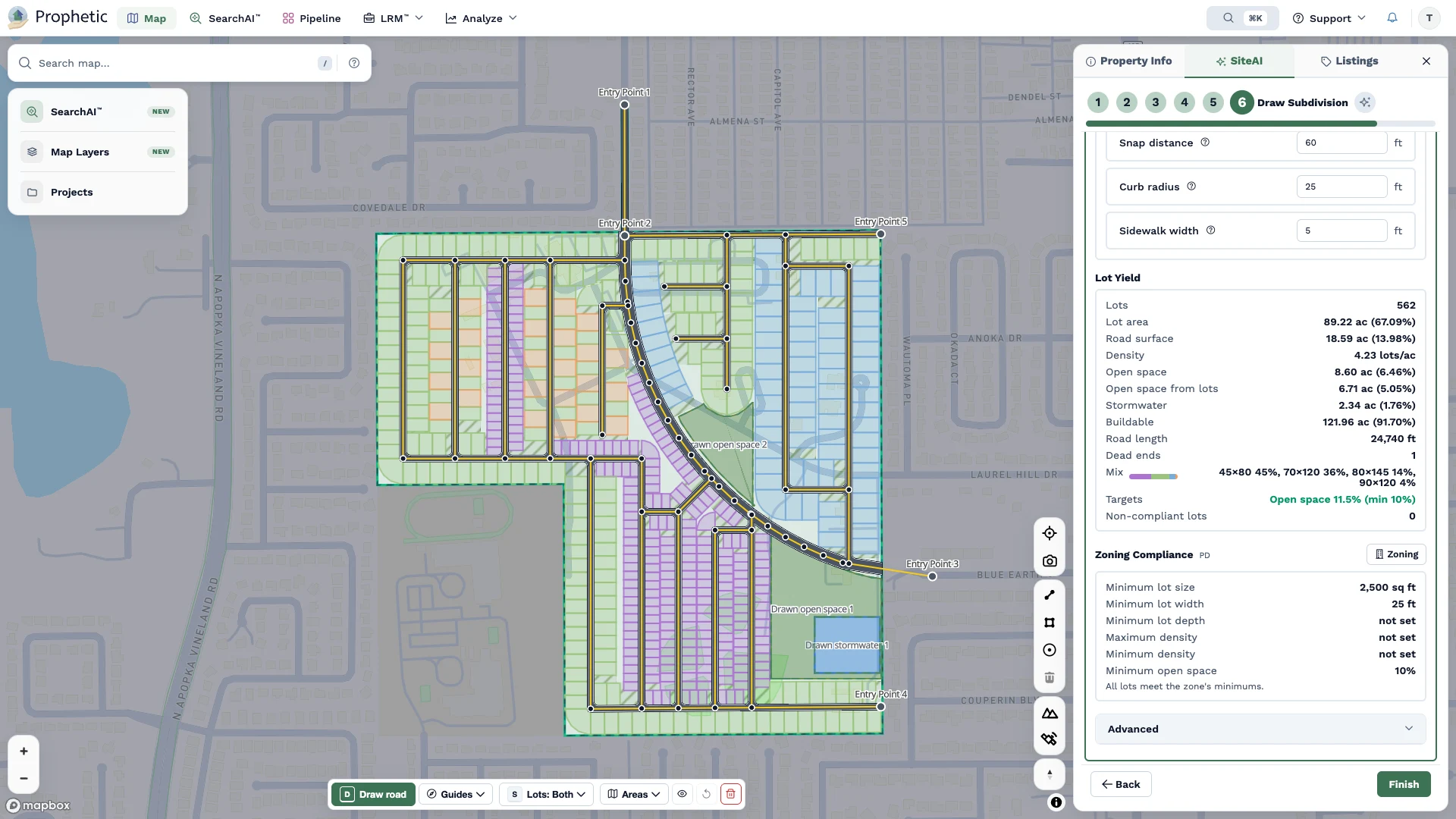
Prophetic's SiteAI generates a site plan with lot and unit yield that accounts for setbacks, wetlands, flood zones, open space, and stormwater ponds. In early screening, it delivers feasibility studies in seconds, not weeks, replacing initial engineering reports that cost $3,000 to more than $10,000.
Automated layouts are built for speed and for estimating maximum theoretical yield. Land teams use them to:
- Screen many parcels quickly
- Get a first read on a site before investing more time
- Compare sites on a level playing field
And because SiteAI accounts for site constraints from the start, it can surface problems a land team might not see until much later.
Way Two: Draw It Yourself with SiteAI Drafter
Here's the gap. When you already have a layout in mind, testing it has meant sketching it in CAD or waiting on an engineer. That drafting is slow and tedious, and it hurts both sides: builders lose land deals while they wait, and engineering firms absorb hours they can't bill.
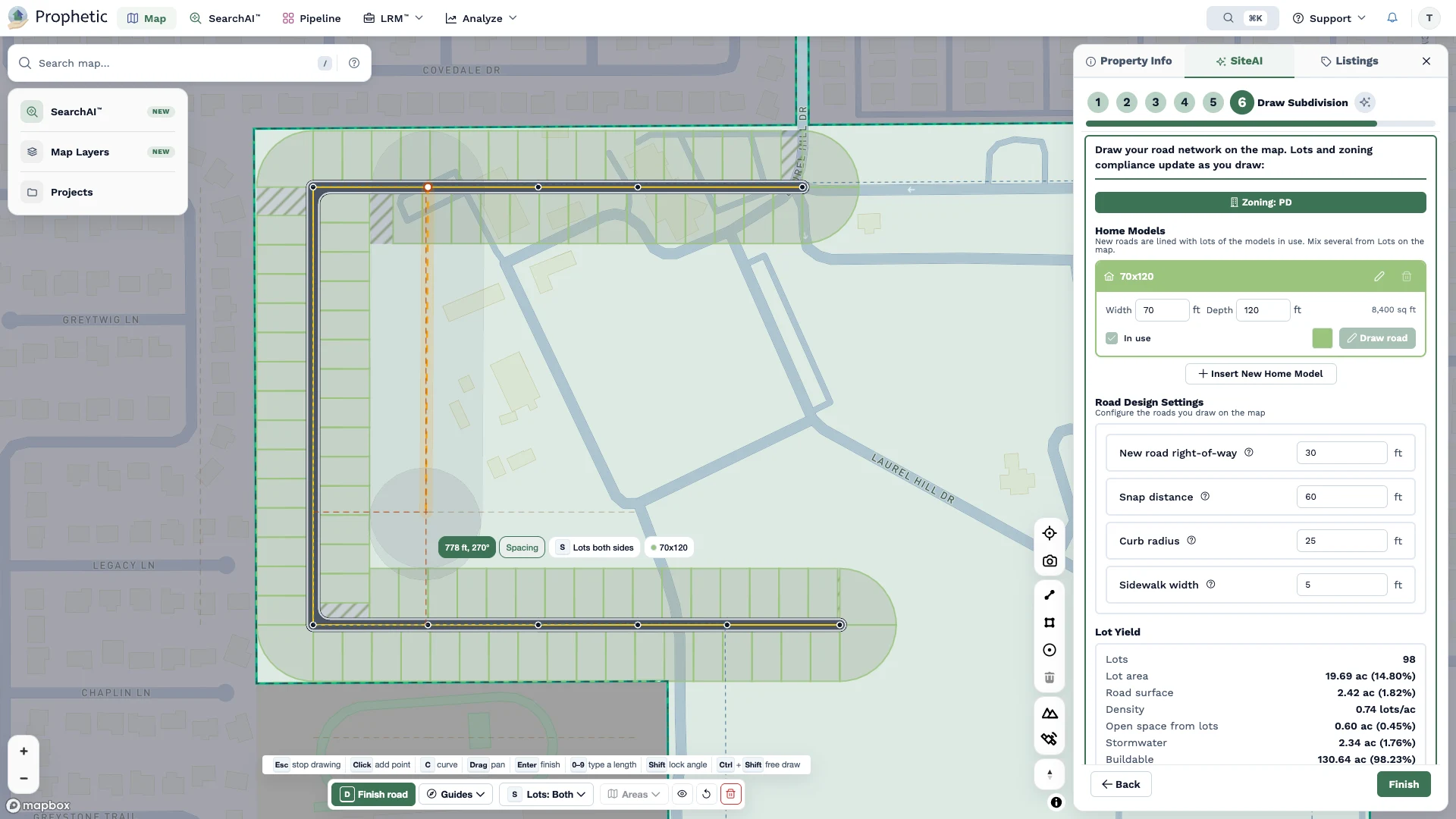
SiteAI Drafter closes that gap. You draw the road network and set lot sizes. SiteAI generates the lots and homes in real time.
Drafter understands roads and rights of way, lot dimensions, and product mix, so it holds the line on what's buildable while you supply the judgment. Roads can follow an efficient grid or sweep in curves for a higher-end feel.
With SiteAI Drafter, you can:
- Draw straight or curved roads and watch the lot count change as you drag, instead of reprocessing the parcel with each change
- Set the lot size and home model for each road, mixing product types on one site, including alternating patterns
- Choose double-loaded, single-loaded, or no lots on each road to model entry roads, collectors, and roads along open space
- Add a row of homes along existing frontage without drawing a new road
- Line up roads quickly with guides that snap to parcel edges and other roads
- Stretch lots to fill leftover space, or keep it as open space
The result is a defensible yield based on the community you actually want to build. Test the layout you have in mind, try different product mixes, compare your plan with SiteAI's automated layout, and walk into your next seller or committee conversation ready.
SiteAI Drafter was built in response to the most common request from SiteAI users.
From Concept to Engineering
A site plan is only useful if it moves forward. With new CAD export, a plan from either approach becomes a starting point for detailed design, so engineers can build on the land team's concept instead of redrawing it.
That also opens Prophetic up to more of the people around the deal: civil engineers and planners who want a quick concept before detailed design, and land developers who want to show builders what a site can hold before the first meeting.
Your Plan, Your Call
"Sometimes you want an answer in seconds across dozens of parcels," said Oliver Alexander, founder and CEO of Prophetic. "Sometimes you already know exactly where the entry and the main road go, and you want to see what your plan yields. SiteAI now works however you do."
Two ways to plan a site. One platform. The deal decides which one you need that day.
SiteAI Drafter and CAD export are available now to all SiteAI users.
Want to see them on a market you know? Take a tour of Prophetic

